See attachment explaining the process and below is the video.
Here are the steps..
First thing we need to do is Confirm 10 VDC Motor Signal
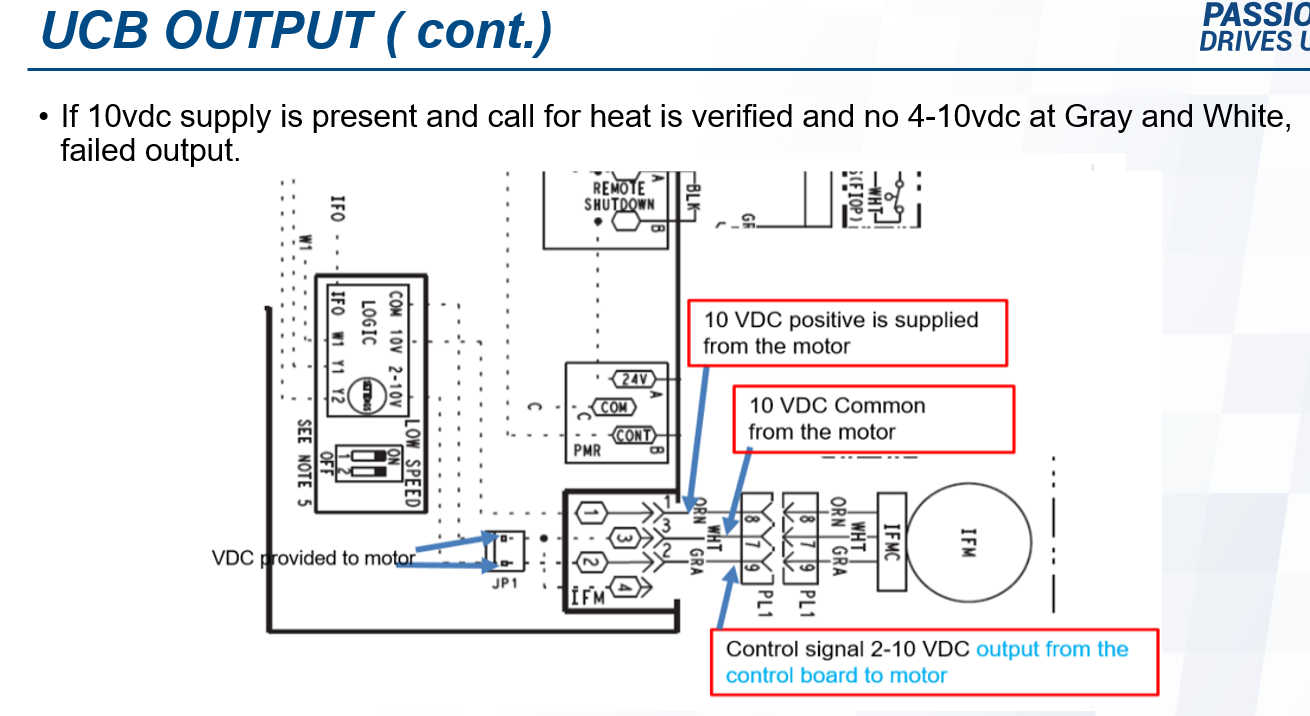
•VAF IDF motors supply the 10vdc source signal that is then adjusted by the “A-B-C” and potentiometer on the UCB for user speed settings.
•Orange – White = 10vdc
Confirm 10vdc Motor Signal (cont.)
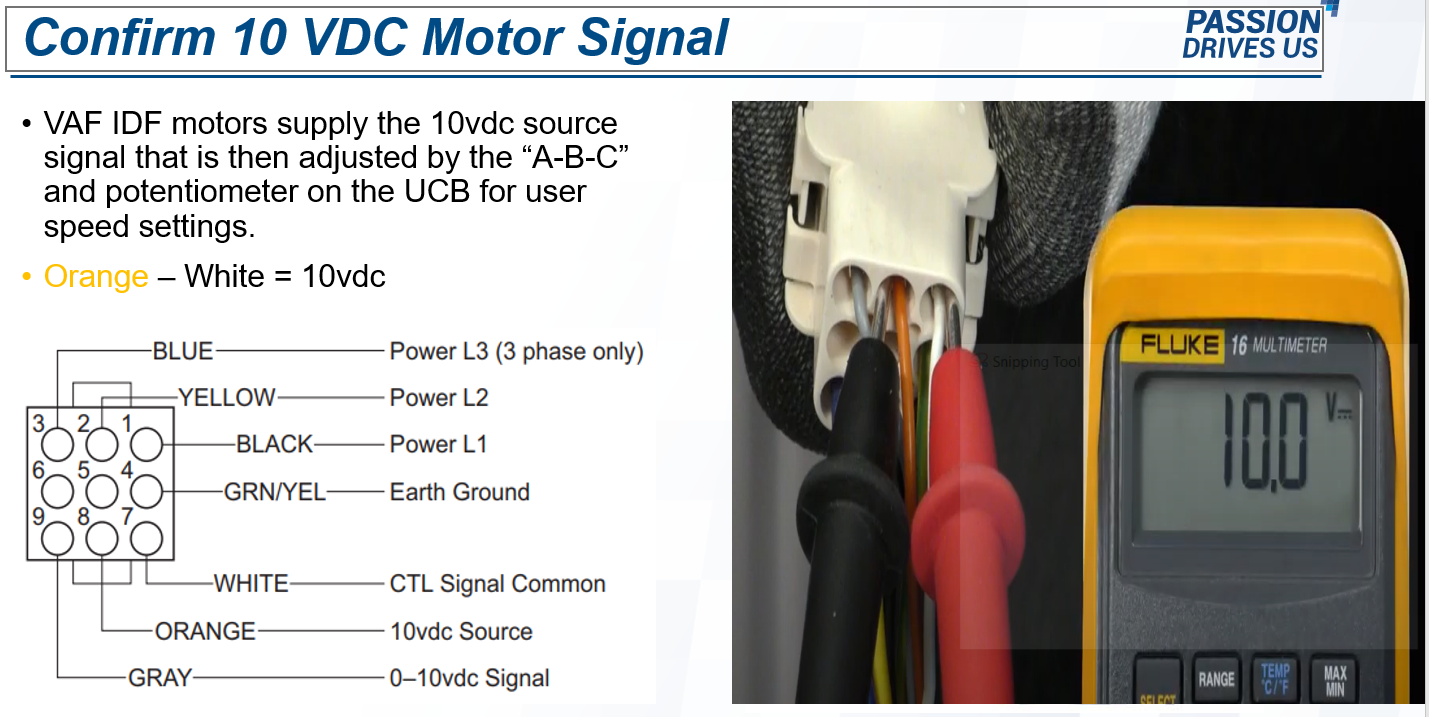
•No 10vdc does not necessarily mean the motor is bad.
•Built in thermal overload could be tripped.
•Check blower compartment temperature, if cool, reset power, if still no signal, bad motor. If hot/warm, wait 20-30 minutes, reset power, if still no signal, bad motor.
•If signal is present, motor signal power supply is good.
CONFIRM SPEED SETTING vdc
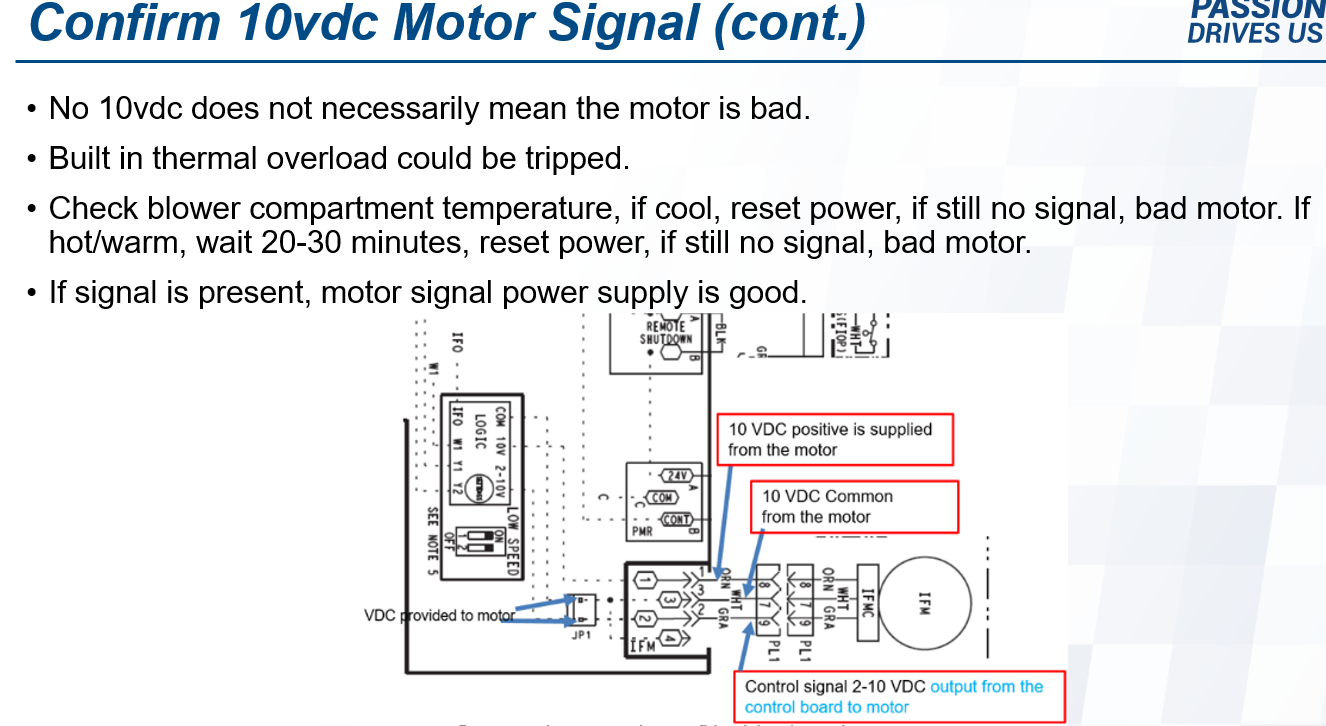
- Touch probes across connections on UCB speed setting area of the unit control board area.
- This should read between 4.1 VDC to 10 VDC
- See picture below
UCB OUTPUT CHECK
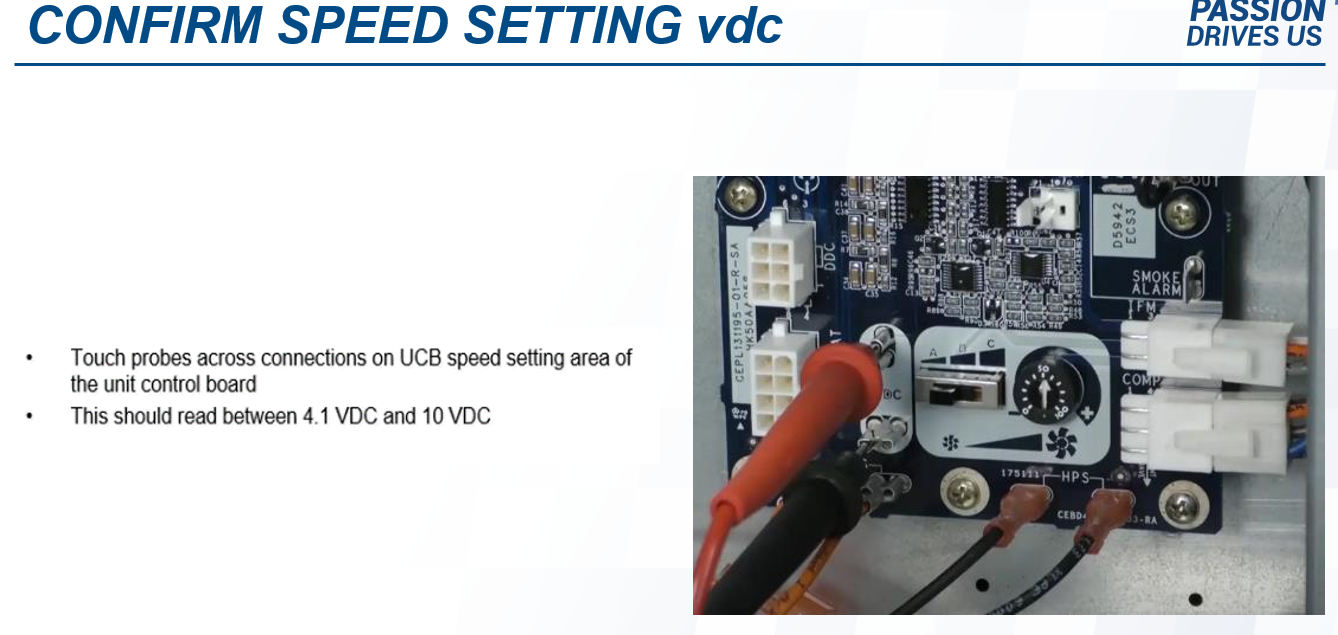
•If 10vdc supply is present and call for heat is verified and no 4-10vdc at Gray and White, failed output.