Applicable on models: All wall mounted indoor units
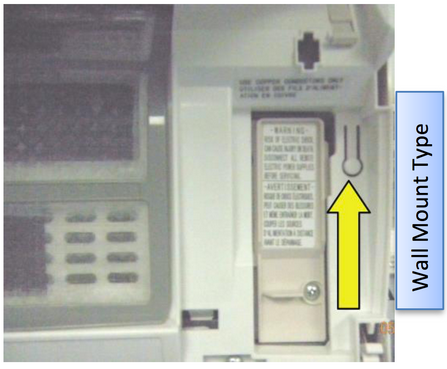
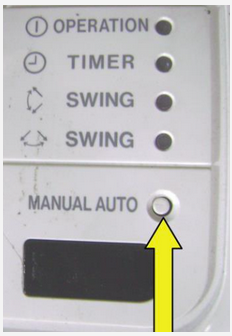
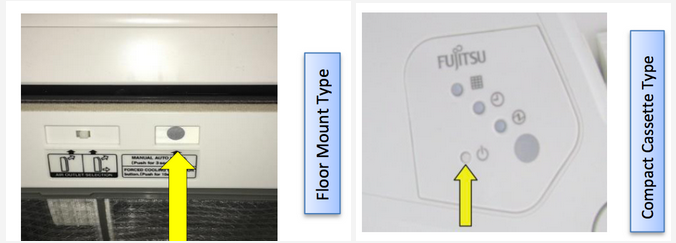
Auto/Manual Button
The Manual/Auto button can be used to reset the unit after an error code condition has been corrected. To reset, hold the button down for 20 seconds while the unit is on, the unit will turn off and reset.
What happens if you lose the remote control?
The Manual/Auto button can be used to turn the unit on/off. The unit will operate in Auto mode with factory set temperature at 75°F.
This step is also used to reset the Air Clean code.
Other features:
Force Cooling Operation. This feature allows you to place the system in cooling operation for 60 minutes.
Test Run Operation. This feature is the same as Force Cooling but technicians can use it to test system operations and pressures.
How to activate:
Turn the unit off using the remote or the Manual/Auto button. Then, press and hold the Manual/Auto button for 10 seconds or more until you hear a double beep. The operation and time LEDs will start flashing simultaneously.