


 107
107
See this slide to answer your question for the service monitor tool for H-Series.
Only available for the single zone systems.
Parts Needed:
UTY-RNRUZ5
UTY-TWRXZ2
Monitoring for multi-zones; you will need to have the "H" in the 4th digit of the model number. If one of them does not you will not be able to see any of the values.
R32 Units will all be able to display sensor values.
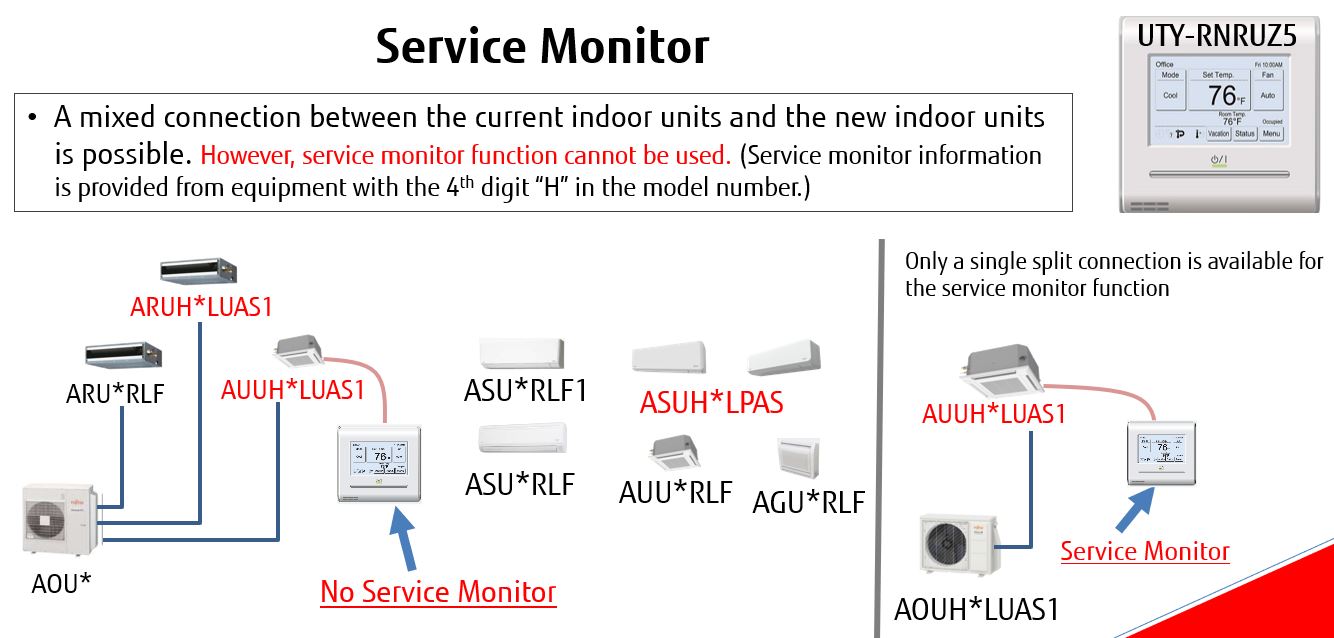
If you need to find out if a Fujitsu unit is running well, you can use the UTY-RNRUZ Controller to look at the sensor values. Follow the steps below. If you are unsure of these readings, give us a call and we can walk through it with you.
This is also available on the UTY-RVRU Kagami Controller as well.
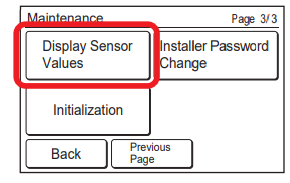
Display Sensor Values
1.Touch the [Display Sensor Values] on the “Maintenance” screen.
2.“Unit selection” screen is displayed. Select the air conditioner which you want to monitor. If 4 or more air conditioners are registered, this screen has multiple pages. To switch the page, touch the [Next Page] or [Previous Page].
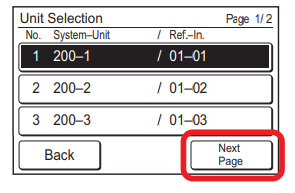
NOTE Some indoor units do not support this function. If you touch such an indoor unit, “No Function” message appears. Touch [Close] to return the “Unit selection” screen. Must Have an H in the model number (ADUH,ASUH,etc)
3.Select the category about which you want to monitor.

4. If you select [Sensor ID], input the ID of the monitoring item on the next screen.
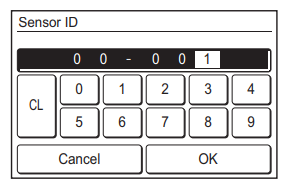
Information on the selected category is displayed. When the screen has multiple pages, they can be switched by touching the [Next Page] or [Previous Page].
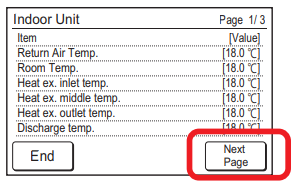
When the [End] is touched, the display returns to the “Advanced Selection” screen.

